

Your SolidCAM subscription is more than just a software licence. It’s how you stay current, get help when you need it, and keep your programming workflows running smoothly.
With an active subscription, you’ll have access to everything inside the SolidCAM dashboard: licence tools, the latest software versions, documentation, training content, and direct technical support. You can also trial new modules before committing to them and submit feature requests directly to the SolidCAM development team.
Your subscription gives you access to:
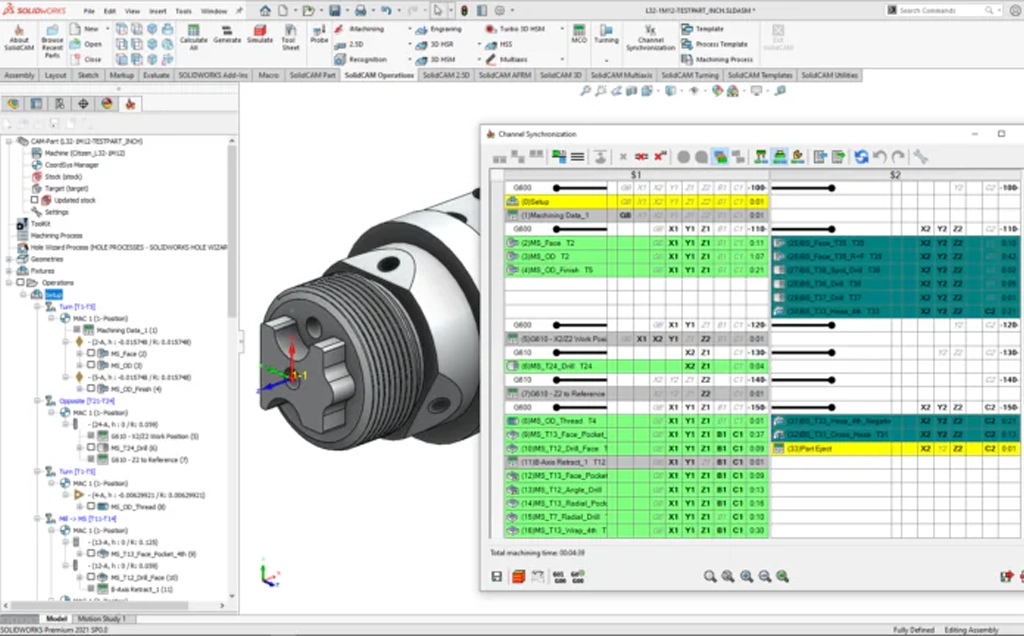
Simutron is an authorised SolidCAM reseller in South Africa. If you have an active subscription, our technical team can help you with installation, licensing, postprocessor configuration, toolpath strategy, machine simulation setup, software errors, and update assistance.
We understand the machines, materials, and manufacturing environments that South African shops work with. That means faster, more relevant support compared to logging a ticket with an overseas help desk.
Your subscription also gives you access to SolidCAM’s international technical help desks if you need additional assistance outside of local business hours.
We run training sessions for every level of SolidCAM user, from first-time setup to advanced 5-axis and mill-turn programming. Each session is built around your parts, your machines, and the modules you actually use.
Training is delivered by application engineers who programme parts and configure postprocessors for a living. They can answer questions about the software and about what’s happening on the shop floor.
Sessions can cover:
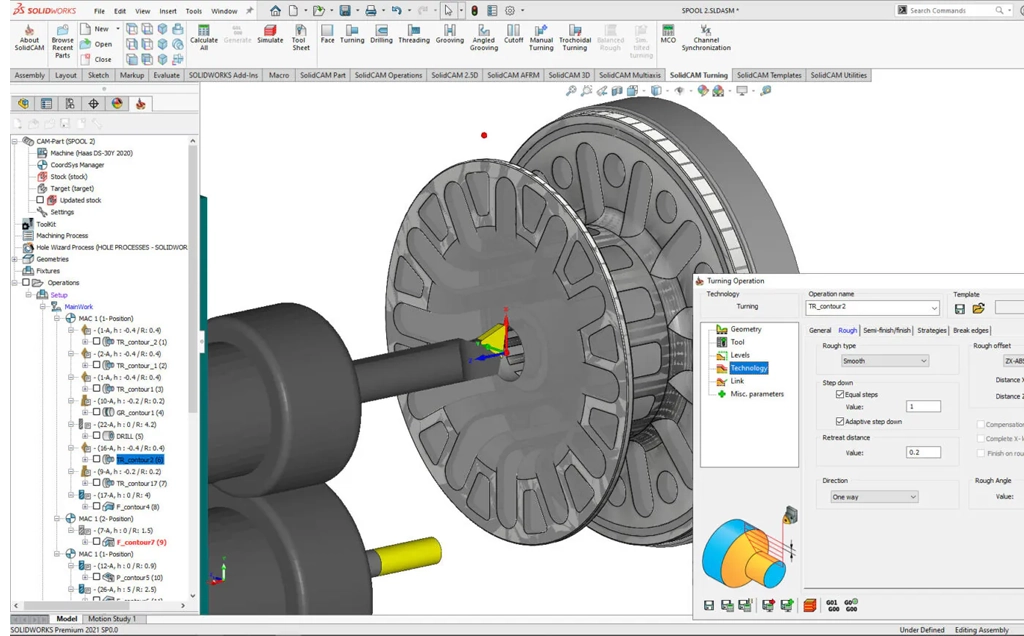
A postprocessor takes the toolpath you’ve programmed in SolidCAM and turns it into G-code that your specific CNC controller can run. When the postprocessor is set up correctly, the code goes straight to the machine with no manual editing.
SolidCAM’s postprocessors are written in GPPL, which is SolidCAM’s own postprocessor language. You edit and debug them in Microsoft Visual Studio Code, giving you a professional environment with full control over how your G-code is structured and formatted.
Each postprocessor includes a VMID (Virtual Machine ID) file. The VMID defines the kinematic structure of your CNC machine, your controller’s output settings, and any user-specific G-code formatting. It’s also the file that drives SolidCAM’s machine simulation, so the preview you see on screen matches what the machine will actually do.
SolidCAM can output G-code for any format your NC controller requires. The postprocessors page shows examples for Siemens, Mazak ISO, and Mitsubishi/Fanuc controllers, but the system supports any G-code structure you need.
For multi-channel CNC machines, DMG, INDEX, and single or multi-file structures are all supported. If your controller has limited memory, SolidCAM can generate external separate programs. Sub-procedural output is also available, which cuts down G-code file sizes significantly.
SolidCAM can also output parametric feed and spin rate values, which gives operators a practical way to adjust cutting data directly at the NC control unit without re-posting.
The machine simulation you see inside SolidCAM is driven by the same postprocessor data that generates your G-code. The relevant CNC machine components are assigned to their corresponding kinematic axes, so collision checks and toolpath verification reflect how the real machine will behave.
You get full machine preview inside Machine Setup, ToolKit, Jobs, and MCO dialogs, all based on the postprocessor data.
For advanced CNC milling, mill-turn, and Swiss-type machines, SolidCAM postprocessors come with pre-defined MCOs (Machine Control Operations). These handle the non-toolpath movements of the machine, like part transfers, bar feeds, and spindle synchronisation. They require minimal input from the programmer and speed up the programming process for complex machines.
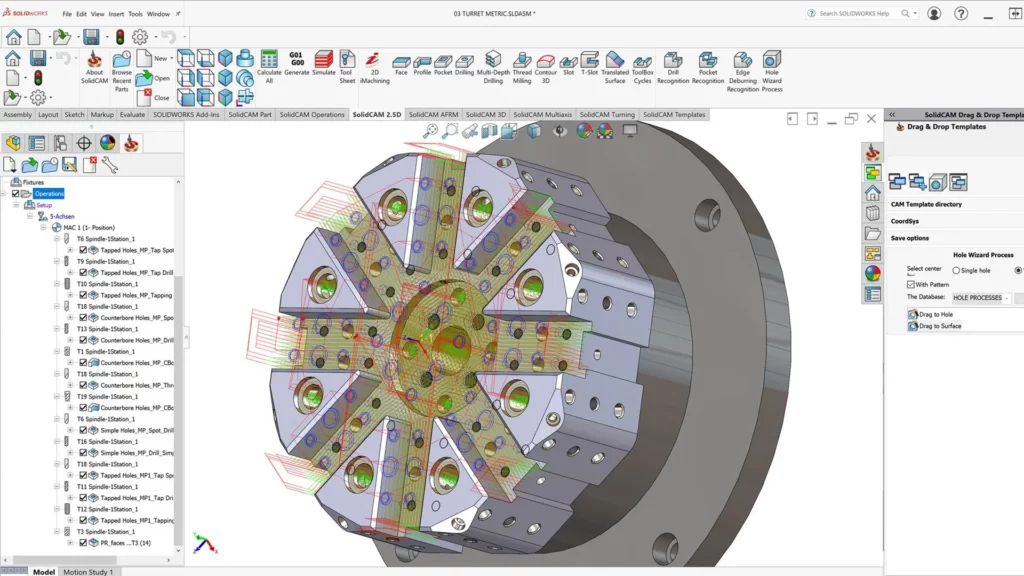
SolidCAM maintains a library of documentation, tutorials, and guides for both SolidCAM and InventorCAM users. The library covers text-based user guides, video tutorials, recorded webinars, and interactive demonstrations, so you can learn in whatever format works best for you.
The documentation is updated with each software release to stay current with the latest features and workflows. Whether you need help with a specific machining operation, a CAM strategy, or a post-processing technique, there’s likely a guide or tutorial that covers it.
Log in to My SolidCAM to browse the full library. You can also access e-learning modules and webinar recordings through the SolidCAM Academy, which is included with your subscription.
If you can’t find what you’re looking for, get in touch and our team can point you in the right direction.
SolidCAM publishes recommended workstation specs across four tiers for desktops and two options for laptops. All configurations run on Windows 11 Pro.
| Component | Basic | Mid-Range | High End | Extreme |
|---|---|---|---|---|
| Processor (CPU) | Intel Core i5-14600 | AMD Ryzen 5 7600X | Intel Core i7-14700 | AMD Ryzen 9 7900X | Intel Core i9-14900KF | AMD Ryzen 9 7950X | Intel Core i9-14900KF | AMD Ryzen 9 7950X |
| Graphics Card (GPU) | NVIDIA T1000 | NVIDIA RTX A2000 | NVIDIA Quadro RTX A6000 | NVIDIA Quadro RTX 8000 |
| Memory (RAM) | 32 GB DDR5 | 64 GB DDR5 | 128 GB DDR5 | 256 GB DDR5 |
| Storage (SSD) | M.2 NVMe 1TB SSD | M.2 NVMe 1TB SSD | M.2 NVMe 2TB SSD | 4TB M.2 2280 |
| Operating System | Windows 11 Pro | Windows 11 Pro | Windows 11 Pro | Windows 11 Pro |
Note: These specifications do not include a motherboard, power supply, optical drive, keyboard, mouse and monitor.
| Lightweight Portable Ultrabook | High End Workstation Laptop |
|---|---|
| HP ZBook Studio G10 with NVIDIA Quadro RTX3000 | ThinkPad P16v Gen 2 with Core™ i9-13 with NVIDIA RTX™ 2000 Ada |
Find answers to common questions about SolidCAM software, CNC programming, supported machining modules and pricing in South Africa.
A SolidCAM subscription includes licence management, access to the latest software versions, documentation, SolidCAM Academy training materials and webinar recordings, premium technical support, a Modules Evaluation Program with a free 3-month trial of any module, the ability to suggest new features, and a SolidCAM Digital Badge.
Simutron is an authorised SolidCAM reseller in South Africa and provides technical support to all customers with an active subscription. Submit a support request through the website or contact Simutron directly.
Yes. The Modules Evaluation Program lets you trial any SolidCAM module free for three months so you can test it on your own parts and machines before committing.
Yes. Simutron supplies and configures SolidCAM postprocessors for a wide range of CNC machines used in South Africa. Contact Simutron for a quote on new postprocessors, modifications to existing ones, or machine simulation setup.
SolidCAM recommends Windows 11 Pro across all workstation tiers. The Basic desktop configuration starts at an Intel Core i5-14600 or AMD Ryzen 5 7600X, NVIDIA T1000 GPU, 32 GB DDR5 RAM, and an M.2 NVMe 1TB SSD. Higher tiers are available for more demanding workloads.
Yes. SolidCAM runs as a fully embedded add-in inside SOLIDWORKS and holds Certified Gold Product status. Documentation and tutorials are also available for SolidCAM for Solid Edge and InventorCAM for Autodesk Inventor.
To renew, check your subscription status, or talk through your options, get in touch with us.